Smartiptv Android Tv Setup
SmartIPTV Android TV Setup: Step-by-Step Guide for 2025
Introduction
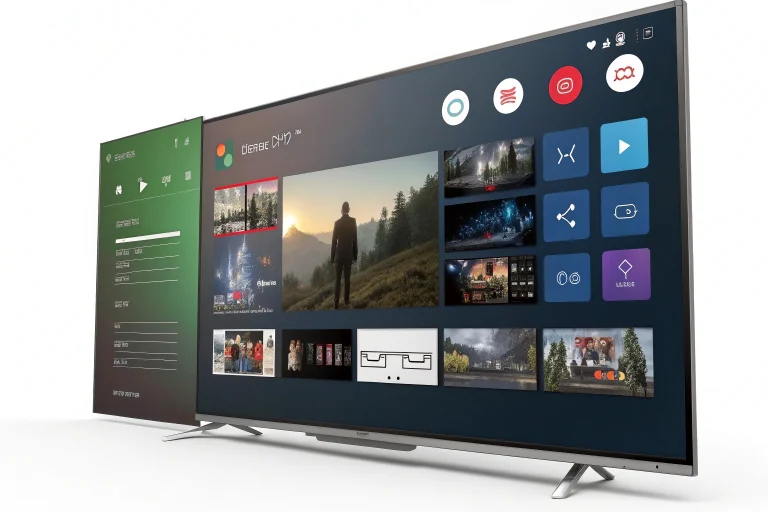
Streaming live TV through the internet has never been easier, especially with apps like SmartIPTV. Designed to run seamlessly on Android TVs, this app offers a convenient way to load and enjoy your favorite IPTV channels.
If you’re looking for a complete guide to SmartIPTV Android TV setup, you’ve landed in the right place. In this blog, we’ll walk you through the exact steps to install and configure SmartIPTV on your Android TV in 2025.
What is SmartIPTV?
SmartIPTV (also known as SIPTV) is a popular IPTV player that allows users to stream live channels via M3U playlists or Xtream Codes. It’s compatible with most Smart TVs and Android-based devices, especially Android TV boxes, Firestick, and Nvidia Shield.
SmartIPTV is only a player—it does not provide any IPTV channels or content.
 SmartIPTV is only a player—it does not provide any IPTV channels or content.
Why Use SmartIPTV on Android TV?
-
- Simple user interface
 Simple user interface
-
- Supports M3U and EPG (Electronic Program Guide)
-
- One-time activation (no recurring fees)
-
- Works perfectly on Android TV OS
-
- Custom playlist support
This makes SmartIPTV a perfect choice for people who want a clean, reliable interface to enjoy IPTV content.
SmartIPTV Android TV Setup (Step-by-Step)
Step 1: Install the SmartIPTV App
 Step 1: Install the SmartIPTV App
Since SmartIPTV is not always available on the Google Play Store, you may need to sideload it.
-
- Go to your Android TV Home Screen
-
- Open the Browser or install Downloader app from Play Store
-
- Enter the URL:
https://siptv.app/howto/android/
- Enter the URL:
-
- Download the SmartIPTV .apk file
-
- Allow installation from unknown sources
-
- Click on the .apk file to install the app
Alternative: You can use a USB stick to transfer the .apk file to your TV.
Step 2: Launch the SmartIPTV App
-
- After installation, open SmartIPTV
-
- The app will display your TV’s MAC address on the screen
-
- Note this down, as you will need it to upload your playlist
Step 3: Upload Your IPTV Playlist (M3U or Xtream)
-
- Visit: https://siptv.app/mylist/
-
- Enter your MAC address
-
- Upload your M3U URL or M3U file provided by your IPTV provider
-
- Click Send
-
- Restart the app on your Android TV
Your channels should now appear in the SmartIPTV interface.
How to Add EPG (TV Guide)
For a full TV guide experience:
-
- Go back to https://siptv.app/mylist/
-
- Add your EPG URL (provided by your IPTV service)
-
- Click Save
-
- Restart your app
SmartIPTV will load the guide data and display it in the UI.
Troubleshooting Tips
| Problem | Solution |
|---|---|
| Channels not loading | Double-check your M3U URL or refresh the app |
| “Check playlist URL” error | Make sure the link is active and correctly formatted |
| App not working after update | Reinstall the .apk file or clear app cache |
| No EPG showing | Confirm your EPG URL is valid and linked properly in the upload portal |
SmartIPTV Pricing & Activation
SmartIPTV offers a 7-day free trial, after which a one-time activation fee (~5.49 EUR) is required.
To activate:
-
- Enter your device’s MAC address
-
- Complete payment
-
- Your license will be active permanently for that device
Best IPTV Providers for SmartIPTV
Top IPTV Providers 2025:
Conclusion
Setting up SmartIPTV Android TV Setup is straightforward if you follow the correct steps. It’s one of the most powerful IPTV players for Android devices, offering rich features and great performance.
Whether you’re watching sports, international news, or the latest movies, SmartIPTV transforms your Android TV into a global entertainment hub.
FAQs
Is SmartIPTV free?
 Is SmartIPTV free?
SmartIPTV offers a 7-day trial. After that, a one-time payment is required for activation.
Can I use multiple playlists?
Yes, SmartIPTV supports multiple playlists if configured properly during upload.
Is SmartIPTV legal?
The app itself is legal. However, the legality of IPTV content depends on your provider and local laws.
TAG : Smartiptv Android Tv Setup
smartiptv android tv setup, how to install smart iptv, iptv player for android tv, iptv m3u playlist, smartiptv 2025 tutorial, iptv activation guide, siptv on firestick, iptv on nvidia shield